Beam for Live 2.1 is here. Shape any part of the lighting signal, split parameters across tracks, morph between states, and see exactly what Beam is sending.
New device: Generic Effect
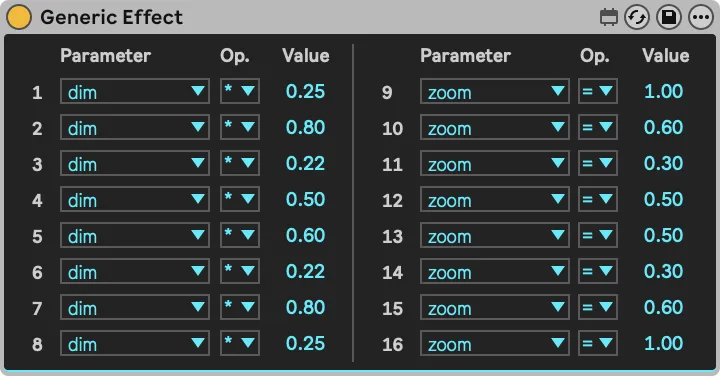
A versatile utility device that can transform any modulation parameter of the incoming lighting signal, for all fixtures at once or for individual fixtures, anywhere in the signal chain.
Set a parameter to a fixed value, or scale and offset whatever is already there. Leave everything else untouched, so the device only changes what you point it at. It works like the Generic Instrument, but on a signal that already exists — and you can chain as many as you need, wherever you need them.
Work with lighting parameters on separate tracks
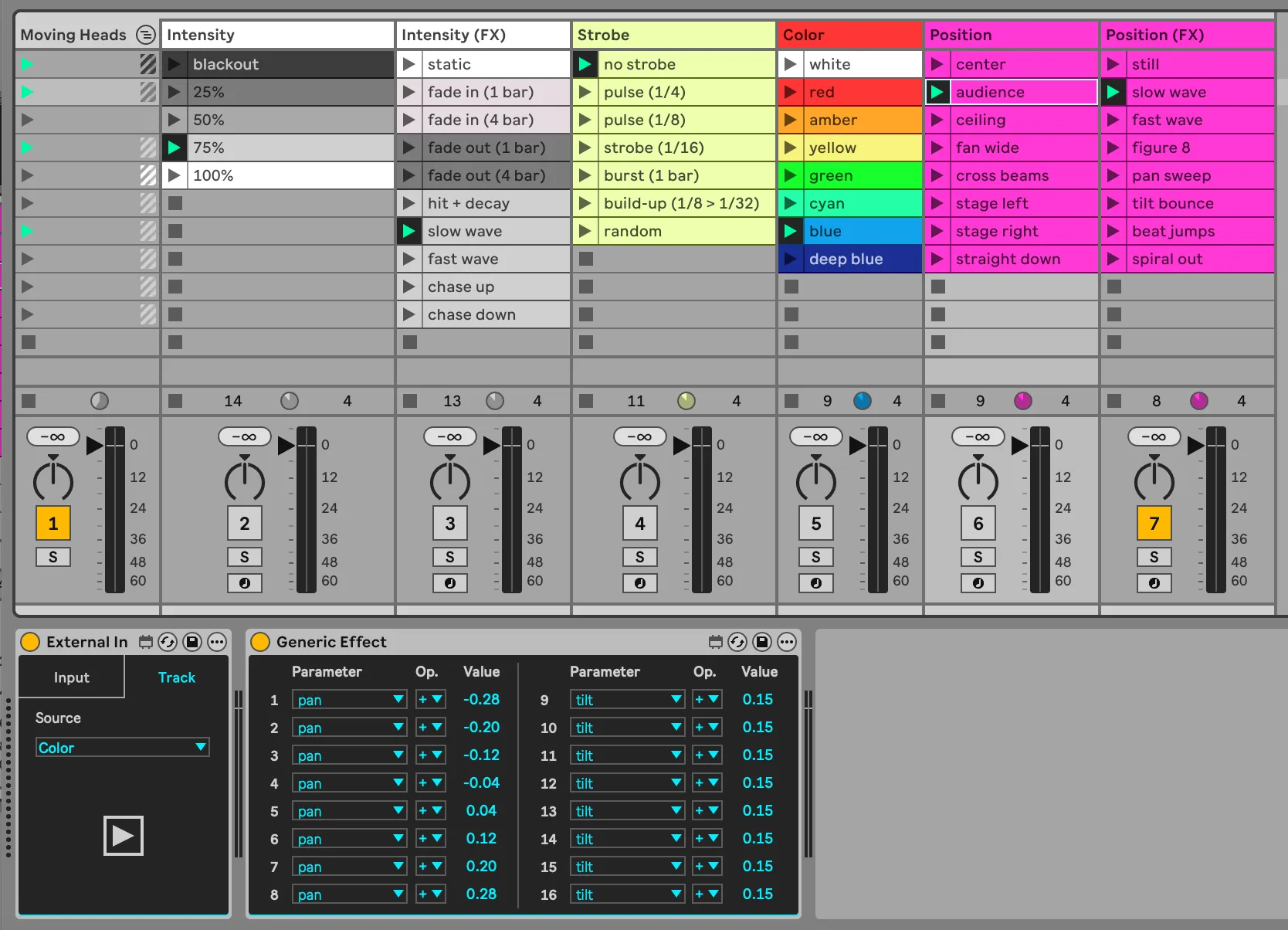
Intensity on one track. Color on another. Strobe, position and movement on their own.
Use the External In device to chain lighting signal from track to track, and the new Generic Effect to shape it along the way, so each track adds its own layer to what came before.
This lets you create Clips with automation that serve as presets for each parameter independently. Combine them freely to build looks, or line them up in a row and fire the whole thing as a Scene. And because each track is a self-contained library, you can drag it into another Live Set and reuse it there.
Morph between lighting parameter states
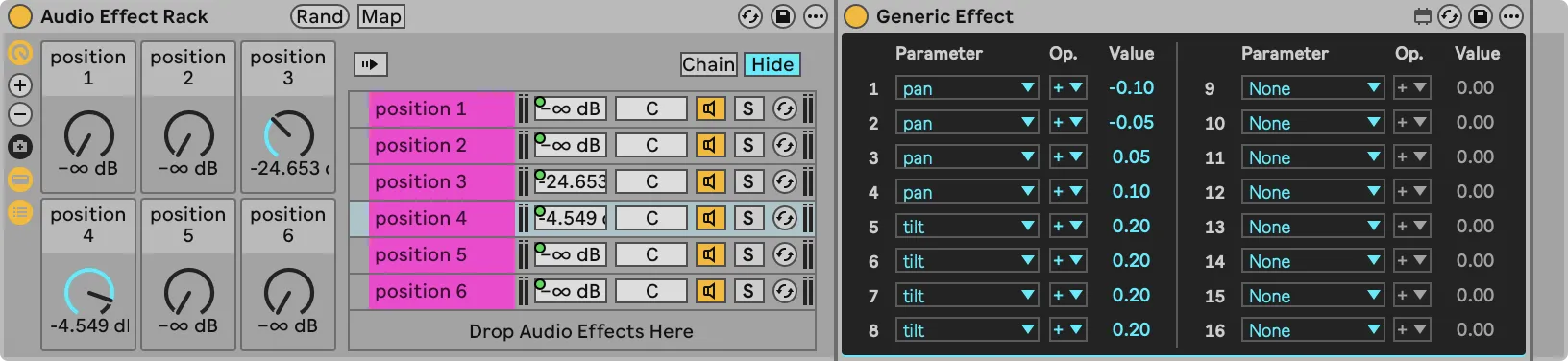
With the help of Generic Effect, you can now morph between states of a specific set of parameters, without affecting the rest of the lighting signal.
Beam can merge multiple lighting signals, using Track or Chain Volumes to set how much each one contributes, with each type of parameter merged appropriately. Some are added up, others are averaged by weight or take highest priority.
If you want to morph between different pan and tilt positions of moving heads, for example, add an Audio Effect Rack with one chain per state, put a Generic Effect in each holding that state's pan and tilt values, and map the Chain Volumes to Macros. Every Macro Control becomes a position you can blend toward.
Improved Monitor
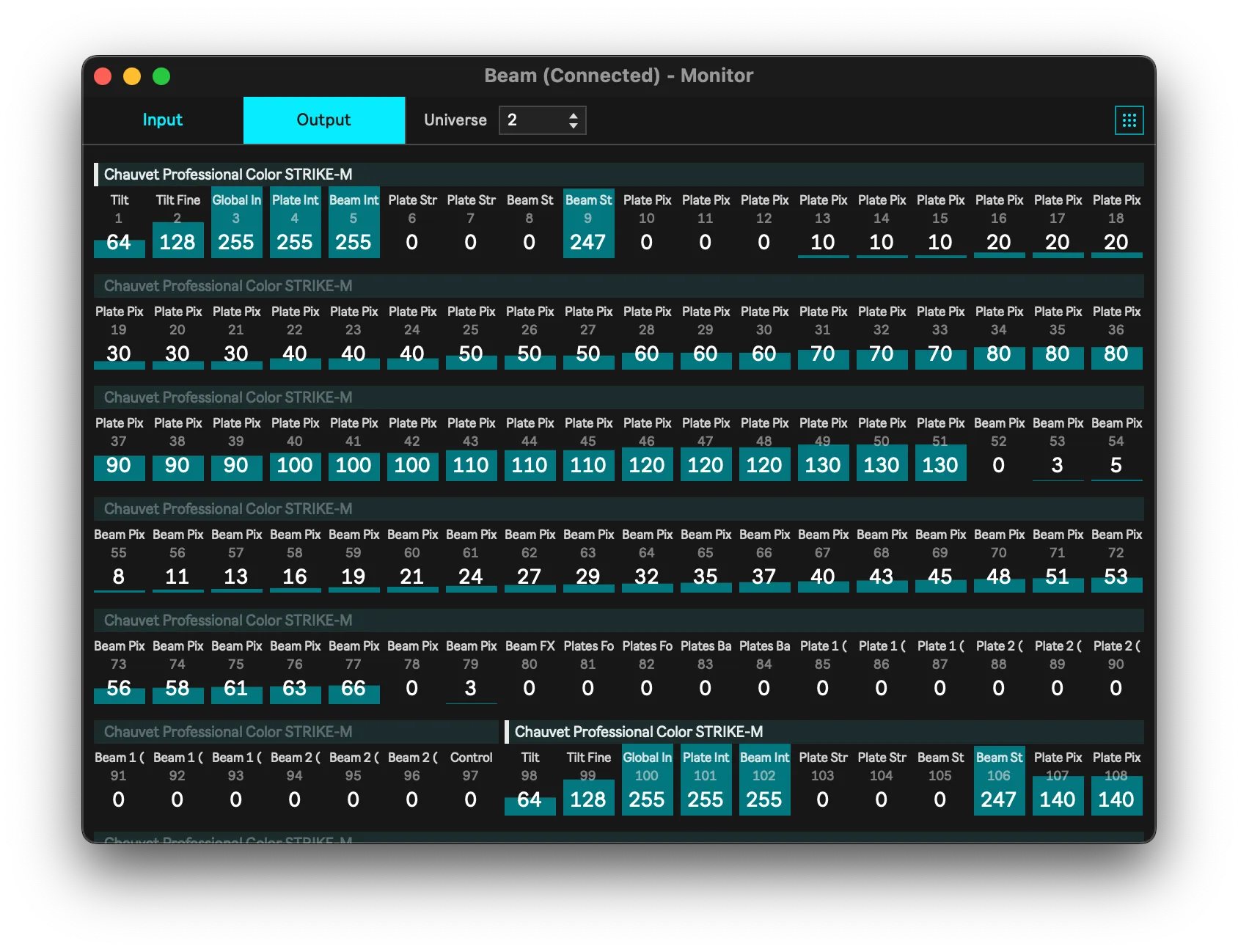
The Monitor views have been upgraded to give you a better overview of the DMX data Beam is sending and receiving.
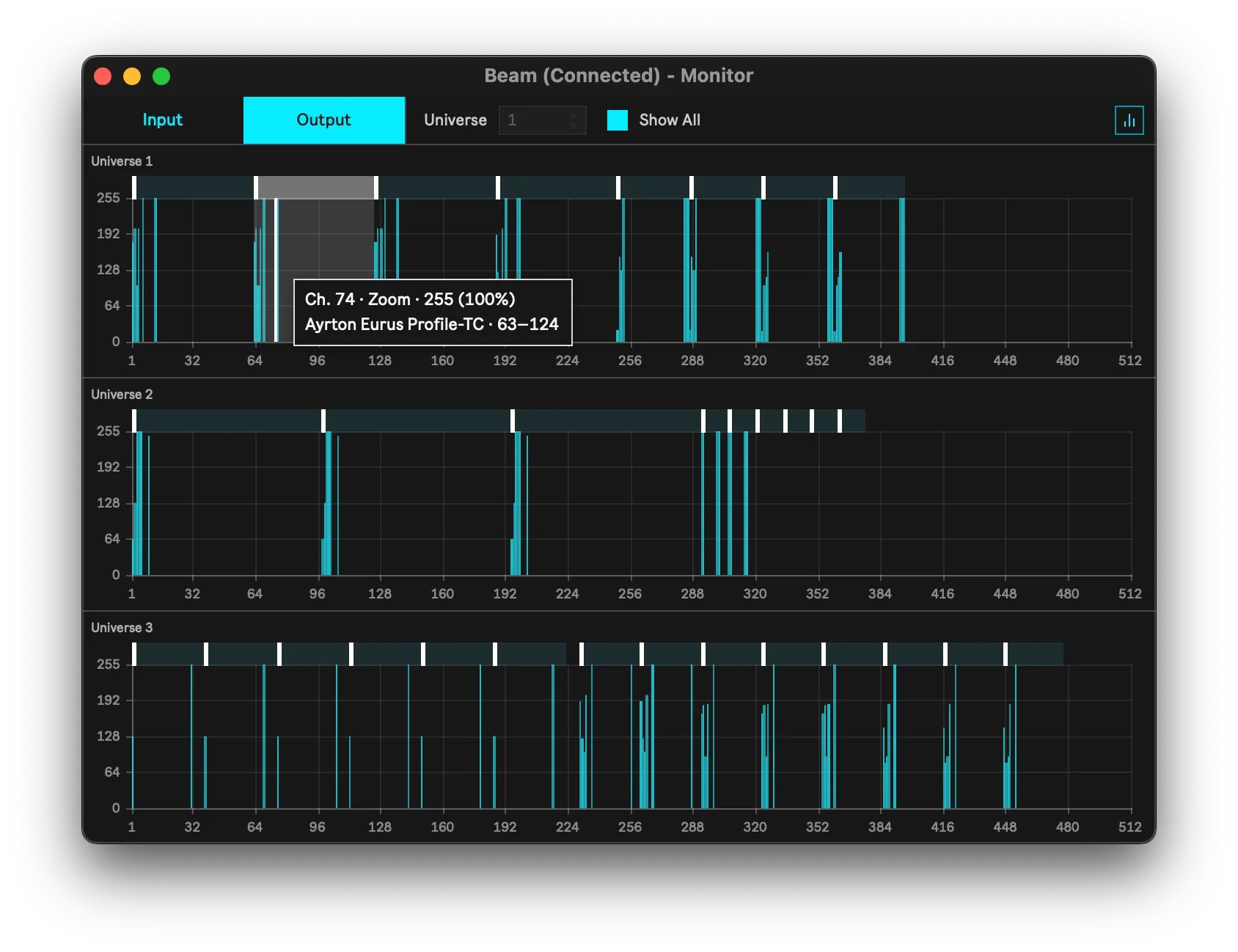
Both views now show markers above the channels, mapping out which fixtures are patched where in a universe. Hover over a patched region to see the full fixture and channel names, its patch range, and the current channel values as both raw DMX and a percentage.
The Grid view now includes the names of patched fixtures and their channels. The Bars view now has X/Y axes with tick marks and a grid, so you can read values off it at a glance. It also has a new Show All mode, which lets you preview every available Input or Output universe in one window.
The main window and the External Monitor are now independent: each can display a different Input or Output universe, and each remembers its view mode and universe when you switch away, close the window, or quit and reopen Beam.